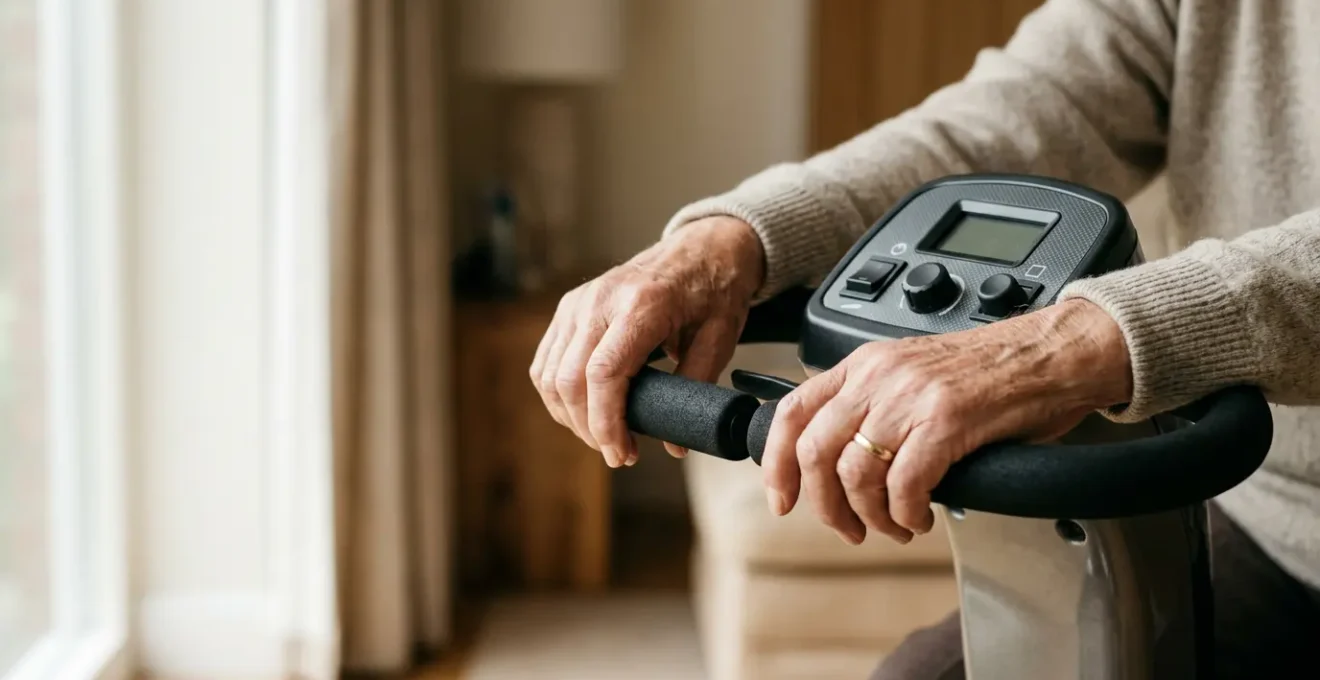
Choosing the right scooter handlebar is a clinical decision, not just a preference, that directly impacts your pain levels and endurance.
- Delta tillers reduce biomechanical load by allowing you to push or pull with different muscle groups, recruiting larger forearm muscles instead of easily-fatigued finger joints.
- Proper tiller adjustment and appropriate grip materials are critical for protecting the entire upper-limb kinetic chain from strain and temperature-induced pain.
Recommendation: Assess your primary limitation (e.g., finger joint pain, weak grip, one-sided weakness) to select the control system that best offloads stress from your specific vulnerable areas.
The freedom a mobility scooter promises can be quickly undermined by a simple, nagging reality: pain. For many users, especially those managing arthritis, a weak grip, or the after-effects of a stroke, an outing can be cut short by cramping hands, aching shoulders, or numb fingers. The joy of independence fades, replaced by frustration. While many prospective buyers focus on a scooter’s range or top speed, as an Occupational Therapist, I guide my clients to prioritize the one component they will interact with every second of their ride: the steering controls.
The debate between a delta tiller and standard handlebars is often oversimplified. It’s not merely about a « wraparound » versus a « straight » bar. It’s a clinical choice about biomechanical load, pressure distribution, and muscular recruitment. Standard handlebars might be familiar, but they can concentrate pressure on small, sensitive finger joints and demand constant grip strength. This can be a significant barrier for those with dexterity or pain issues. The true measure of a scooter’s utility isn’t how far it can go, but how comfortably and safely you can operate it for the entire journey.
This guide moves beyond surface-level features. We will adopt a functional, therapeutic perspective to dissect these two steering systems. We will analyze precisely how a delta tiller’s design can alleviate specific symptoms, why grip material is more than just a comfort feature, and how proper adjustment forms a critical part of your « ergonomic prescription. » The goal is to empower you to make a choice that doesn’t just get you from point A to B, but does so while protecting your joints and maximizing your long-term mobility.
This comprehensive comparison will break down the key functional differences between delta tillers and standard handlebars. By exploring how each design impacts comfort, control, and fatigue, you’ll gain the clinical insight needed to choose the steering system that truly fits your body and your needs.
Summary: Delta Tiller vs Standard Handlebars: Which Ergonomic Steering Suits You?
- How Delta Tillers Allow You to Drive with Just Your Thumbs?
- Reach and Comfort: Finding the Sweet Spot to Avoid Shoulder Pain
- Why Foam Grips Are Better Than Rubber for Raynaud’s Sufferers?
- Glare and Angles: Can You Read the Battery Meter in Sunlight?
- Twitchy Steering: Adjusting Sensitivity for Tremors
- Delta Tiller vs Standard Bar: Which Design Reduces Pain for Arthritic Fingers?
- Thumb vs Finger Levers: Which Causes Less Cramp?
- Reducing Upper Limb Fatigue: Tips for Longer, Pain-Free Scooter Rides
How Delta Tillers Allow You to Drive with Just Your Thumbs?
The core ergonomic advantage of a delta tiller lies in its unique « wig-wag » paddle control system. Unlike standard handlebars that often require a constant, forceful grip on a lever, a delta tiller is designed for versatility and reduced strain. The system uses a single, centrally pivoted paddle. To move forward, you can either push the right side of the paddle with your right thumb or pull the left side towards you with the fingers of your left hand. The reverse is also true for moving backward. This dual-action design is revolutionary for users with limited hand function.
This mechanism fundamentally changes the muscular recruitment needed for operation. It allows you to operate the scooter using only your thumbs, which can be ideal for individuals who cannot form a full fist or have pain in their finger joints. More importantly, it allows you to alternate which muscles you use. You can switch between pushing with a thumb and pulling with your fingers, or even switch hands entirely. This ability to vary your grip and action is a core principle of ergonomic endurance.
According to research on mobility scooter controls, this push-or-pull mechanism is key because it allows the driver to alternate between different muscle groups. This rotation prevents any single muscle, particularly the small, easily-fatigued thenar muscles at the base of the thumb, from becoming overworked and cramping. For users with one-sided weakness, such as hemiparesis following a stroke, the wraparound design means they can comfortably control the scooter with their stronger hand, using either their thumb or fingers from a variety of angles.
Reach and Comfort: Finding the Sweet Spot to Avoid Shoulder Pain
An ergonomic tiller is useless if it’s positioned incorrectly. Finding the « sweet spot » for your tiller’s height and angle is a critical step in preventing secondary pain, particularly in the shoulders, neck, and upper back. The goal is to create a relaxed and sustainable posture where the controls come to meet your hands, not the other way around. Reaching too far forward or too high can create constant tension in the trapezius and deltoid muscles, leading to fatigue and pain that radiates up the kinetic chain from your hands to your neck.
The ideal position starts with proper seating. Your back should be supported, and your shoulders should be relaxed and dropped, not hunched. From there, your elbows should be bent at a comfortable angle, typically between 90 and 110 degrees. Most importantly, your wrists should be in a neutral position—a straight line from your forearm to your hand—without being bent up (extended) or down (flexed). Holding the wrist in a non-neutral position puts strain on the carpal tunnel and forearm tendons, a common source of discomfort for many users.
This paragraph introduces a complex concept. To properly understand it, it’s helpful to visualize the correct posture. The illustration below breaks down this ergonomic setup.
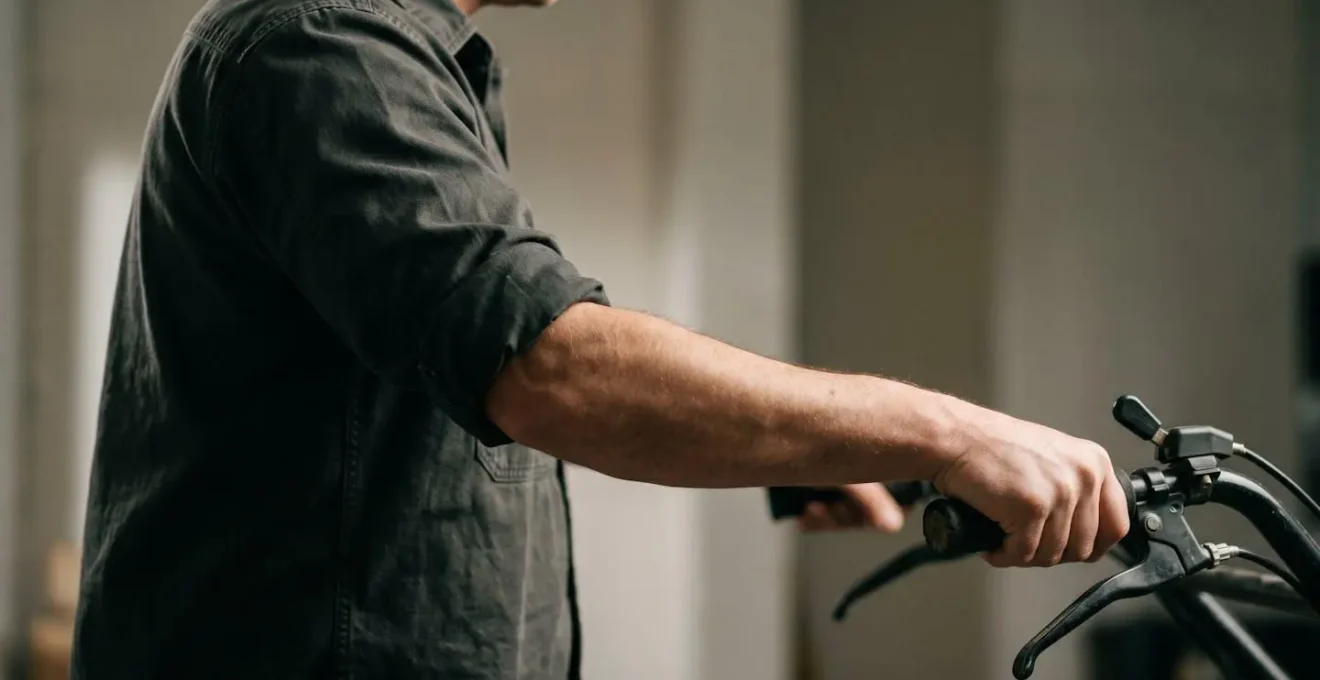
As this image demonstrates, the alignment from the shoulder through the elbow to the wrist is paramount. All modern scooters, regardless of handlebar type, should have an adjustable tiller. The key is to use this adjustment as a therapeutic tool to customize the fit to your unique body geometry. This prevents you from adapting to the machine and instead makes the machine adapt to you.
Action Plan: Finding Your Optimal Tiller Position
- Sit fully supported: Ensure your back is against the seatback and your feet are flat on the floor plate to establish a stable base posture.
- Relax arms and find neutral: Let your shoulders drop naturally, then raise your forearms to a 90-110 degree elbow bend. This is your natural hand height.
- Bring controls to your hands: Use the tiller adjustment lever to move the entire control head to meet your hands. Do not reach for the controls.
- Check wrist alignment: Verify that your wrists remain in a straight, neutral line, avoiding any upward or downward bending to access the levers.
- Confirm leg clearance: Ensure you have enough space to safely and easily get on and off the scooter without the tiller obstructing your legs.
Why Foam Grips Are Better Than Rubber for Raynaud’s Sufferers?
For individuals with Raynaud’s phenomenon, a condition causing vasospasms that restrict blood flow to the extremities, the material of a scooter’s grip is not a minor detail—it’s a critical factor in preventing painful attacks. Cold is a primary trigger for Raynaud’s, and standard, hard rubber or plastic grips can act as a heat sink, rapidly drawing warmth away from the hands. Foam grips, in contrast, offer significantly better thermal insulation.
The science behind this is simple. Hard, dense materials like rubber conduct heat efficiently, meaning they feel cold to the touch and will pull heat from your hands. Foam materials, however, are filled with tiny pockets of trapped air. Since air is a poor conductor of heat, these pockets create a thermal barrier. This insulation slows the rate of heat loss from your hands to the environment, helping to keep your fingers warmer and reducing the risk of triggering a vasospastic attack. As research on insulation for Raynaud’s sufferers confirms, this principle of trapping air is the foundation of all effective thermal protection.
Beyond thermal properties, foam also offers superior pressure distribution. The soft, compliant nature of foam allows the grip to conform to the shape of your hand, spreading the load over a wider surface area. This is a stark contrast to hard rubber grips, which can create pressure points. For those with Raynaud’s, high pressure can also contribute to constricting blood vessels, compounding the effects of cold.
Case Study: Material Properties and Raynaud’s Symptom Reduction
While not studying scooter grips directly, a multicentre double-blind randomized crossover trial provides powerful evidence for this principle. The study on 85 systemic sclerosis patients examined how different glove materials affected Raynaud’s symptoms. It found that materials designed for heat retention and even pressure distribution led to a significant reduction in the Raynaud Condition Score, dropping from 6.4 to 3.9. This demonstrates clinically that material choices with good thermal and pressure-dampening properties are not just about comfort; they are a key intervention in managing vasospastic attacks.
Glare and Angles: Can You Read the Battery Meter in Sunlight?
A scooter’s most advanced ergonomic features are of little use if you can’t see the most critical piece of information on the console: the battery meter. Readability in direct sunlight is a major functional challenge for many scooter displays. Glare from the sun can completely « wash out » a dim or poorly designed screen, leaving the user guessing about their remaining range and potentially causing significant anxiety or even stranding them. This issue is particularly relevant because data from shared scooter usage shows that afternoons, when the sun is high and bright, often see peak ridership.
The technology used for the display is the single most important factor. There are three common types found on mobility scooters: standard backlit LCDs, high-contrast LED indicator lights, and high-brightness TFT LCD screens. Standard LCDs, similar to an old digital watch, perform poorly in bright light. The backlight isn’t strong enough to compete with the sun, resulting in low contrast and high glare. High-brightness screens are better but can still suffer from glare depending on the angle of the sun.
From a functional standpoint, the simplest solution is often the most effective. Consoles that use simple, bright, individual LED indicator lights (e.g., a bar of green, yellow, and red lights) are typically the easiest to read in any lighting condition. They don’t have a screen that can reflect glare; instead, the light source is projected directly at the user. While they provide less detailed information than an LCD screen, their reliability in bright sunlight is a massive advantage for safety and peace of mind.
The following table breaks down the key differences in display technology for outdoor use.
| Display Type | Sunlight Readability | Glare Resistance | Brightness Level | Best Use Case |
|---|---|---|---|---|
| Backlit LCD | Poor to Moderate | Low – prone to washout | 300-500 nits | Indoor or shaded conditions |
| High-Contrast LED Indicators | Excellent | High – simple light indicators | Direct LED emission | Direct sunlight environments |
| High-Brightness TFT LCD | Good to Excellent | Moderate with anti-glare coating | 1000+ nits | Outdoor with detailed information needs |
Twitchy Steering: Adjusting Sensitivity for Tremors
For users with essential tremors or Parkinson’s, « twitchy » or overly sensitive steering can make a scooter feel unsafe and difficult to control. An unintentional hand movement can cause the scooter to jerk, creating a stressful and potentially dangerous situation. While some high-end scooters have electronically adjustable sensitivity settings, the mechanical design of the tiller itself plays a significant role in providing inherent stability and dampening minor, involuntary movements.
This is another area where a delta tiller’s design offers a distinct biomechanical advantage. As the SpinLife Mobility Experts note, the wraparound handle encourages a more stable grip. This is because it facilitates using your entire palm and larger muscle groups to guide the scooter, rather than relying on fine motor control from the fingers and wrist, which are often more affected by tremors.
The wraparound design encourages a full-hand, stabilizing grip, using larger muscle groups, which naturally absorbs minor tremors more effectively than the fingertip/wrist control typical of standard bars.
– SpinLife Mobility Experts, Mobility Scooter Steering Handle Options
This « full-hand » contact increases the surface area and engages larger, more stable muscles in the arm and shoulder. This has a natural dampening effect, meaning small tremors are absorbed by the system before they translate into sharp movements of the wheels. The ability to rest the heel of the hand on the tiller provides a stable pivot point, improving proprioceptive feedback and giving the user a better sense of control. In contrast, standard handlebars, which are often held with just the fingertips, offer less stability and can amplify the effect of tremors.
Delta Tiller vs Standard Bar: Which Design Reduces Pain for Arthritic Fingers?
For the millions of individuals whose mobility is impacted by arthritis, every joint movement can be a calculation of pain. When it comes to operating a mobility scooter, the goal is to find a system that minimizes stress on inflamed and sensitive finger joints. This is arguably the most significant area where the delta tiller design proves its therapeutic value over standard handlebars.
Standard bicycle-style handlebars typically require the user to wrap their fingers around the grip and use a pincer or hook grip to pull a lever. This action places direct biomechanical load on the small, delicate interphalangeal and metacarpophalangeal joints of the fingers. For someone with osteoarthritis or rheumatoid arthritis, maintaining this grip and repeatedly flexing the fingers can be excruciating and lead to increased inflammation and fatigue.
The delta tiller, with its wig-wag paddle, completely bypasses this requirement. As we’ve discussed, it can be operated by a gentle push from the thumb or by resting the palm on the handle and using the side of the hand. This transfers the force away from the finger joints and recruits larger, stronger muscles in the thumb base and forearm. This principle of offloading pressure from vulnerable joints is a cornerstone of arthritis management.
Study: Ergonomic Design for Osteoarthritis Joint Strain Reduction
A comprehensive analysis of scooter features for osteoarthritis patients highlighted that controls minimizing joint flexion are vital. The study emphasized that any feature allowing a user to rest the heel of their palm or wrist while operating the controls, rather than actively gripping, significantly reduces the stress placed on finger joints. This directly supports the functional benefit of a delta tiller, which is specifically designed to accommodate this type of operation, making it a superior choice for many arthritis sufferers.
Thumb vs Finger Levers: Which Causes Less Cramp?
Even on a delta tiller, the choice of *how* you operate it—pushing with the thumb versus pulling with the fingers—has a direct impact on muscle fatigue and cramping. Understanding the anatomical difference between these two actions is key to preventing discomfort on longer rides. The primary issue with thumb-only operation is the size and endurance of the muscles involved.
Pushing a thumb lever primarily engages the thenar muscles, the small group of muscles located at the fleshy base of your thumb. While strong for short bursts of force, these are small muscles that are not designed for sustained, isometric contraction. Holding pressure with your thumb for an extended period, such as on a long, straight path, will quickly lead to fatigue, aching, and cramping in the thenar eminence.
In contrast, pulling a lever with your fingers recruits the large, powerful flexor muscles located in your forearm. These muscles are responsible for making a fist and are vastly larger and more resistant to fatigue than the thenar group. This is why you can carry a heavy shopping bag for far longer than you can hold a strong pinch grip. The ability of a delta tiller’s wig-wag system to allow you to switch to a finger-pull action is a crucial ergonomic feature for long-distance comfort.
This table compares the anatomical demands of each control type, explaining why alternating between them is the best strategy for preventing fatigue.
| Control Type | Primary Muscles Engaged | Muscle Size/Endurance | Fatigue Onset | Best For |
|---|---|---|---|---|
| Thumb Lever (Push) | Thenar muscles at thumb base | Small, easily fatigued | Quick – within 15-20 minutes of continuous use | Short trips, alternating with other controls |
| Finger Lever (Pull) | Flexor muscles in forearm | Large, high endurance | Slow – can sustain for extended periods | Sustained speed on long journeys |
| Wig-Wag Paddle (Dual-action) | Both thenar and flexor muscles (alternating) | Utilizes both muscle groups | Minimal – rotation prevents buildup | Long journeys, users with arthritis or muscle fatigue issues |
Key Takeaways
- The primary benefit of a delta tiller is its flexible « wig-wag » control, which allows operation by pushing with a thumb or pulling with fingers, recruiting different muscle groups to prevent fatigue.
- Proper ergonomic setup is crucial: adjust the tiller so your elbows are at a 90-110 degree angle and wrists are neutral to protect the entire upper-limb kinetic chain.
- Material matters: Foam grips provide superior thermal insulation and pressure distribution compared to rubber, making them essential for users with Raynaud’s or sensitive hands.
Reducing Upper Limb Fatigue: Tips for Longer, Pain-Free Scooter Rides
Achieving a truly pain-free ride goes beyond just the primary steering controls. It involves a holistic approach to minimizing upper limb fatigue across your entire journey. Cumulative strain doesn’t just come from holding the throttle; it builds from repetitive reaching for secondary controls, poor posture, and sustained muscle tension. By adopting a few proactive habits, you can significantly extend your comfortable riding time.
One of the most effective strategies is to practice « micro-adjustments. » This means consciously and frequently changing your hand position on the grips, even if it’s just a slight shift. When stopped, take the opportunity to perform gentle hand stretches, opening and closing your fists to promote circulation. Similarly, periodic shoulder rolls can release tension in the trapezius muscles before it builds into a painful knot. These small, consistent actions prevent the static muscle loading that is a primary cause of fatigue and pain.
Finally, consider the ergonomic layout of the entire console. Are the horn, light switches, and turn signal indicators within easy reach of your primary driving position? Or do you have to shift your entire hand or arm to activate them? A well-designed console minimizes this ancillary movement, reducing the cumulative strain on your shoulders and arms. Proper armrest height is also vital; they should support your elbows naturally, preventing you from hunching your shoulders. A supported posture allows your core to stabilize your body, taking the load off your upper limbs.
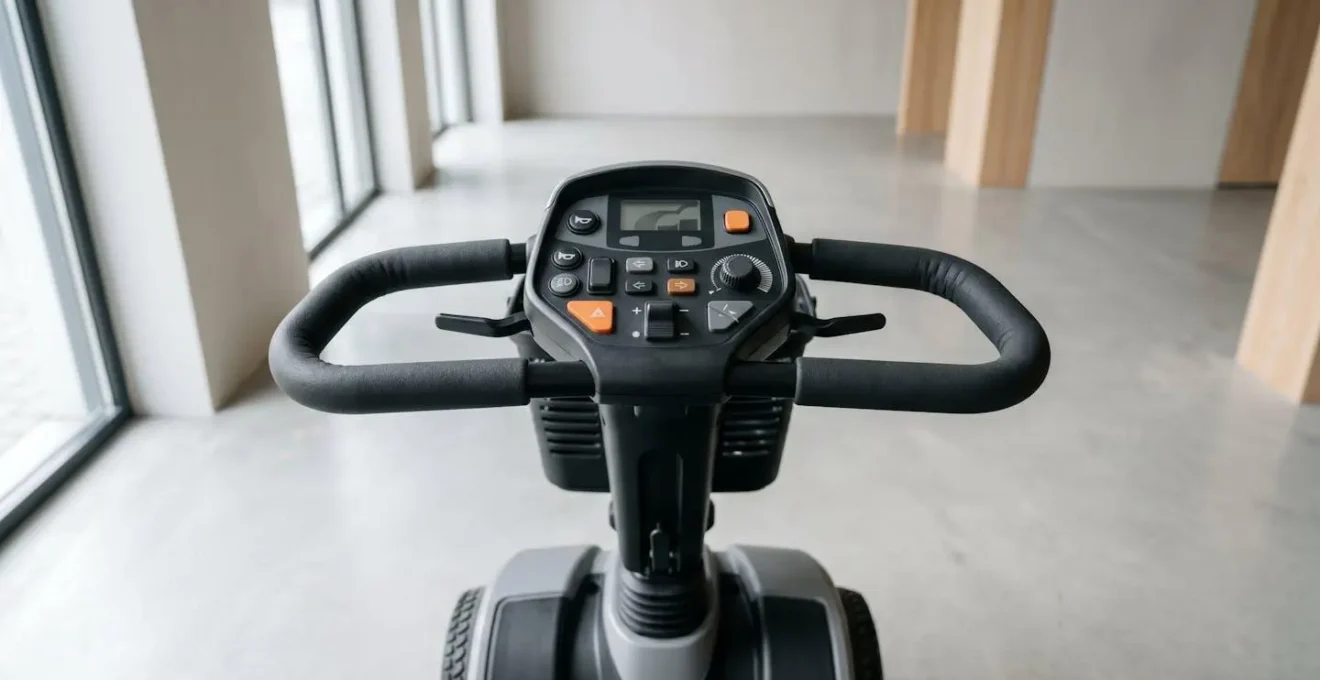
The best ergonomic setup is one where your body remains in a relaxed, neutral state as much as possible. By combining a well-chosen tiller, a correctly adjusted posture, and mindful habits during your ride, you can transform your mobility scooter from a simple transport device into a true extension of your personal freedom, free from the constraints of pain and fatigue.
To make the most informed decision for your health, use this guide as a checklist when test-driving different scooter models. Focus not just on the scooter’s features, but on how your body feels—notice where you feel pressure, strain, or fatigue, and choose the machine that works in harmony with your body.