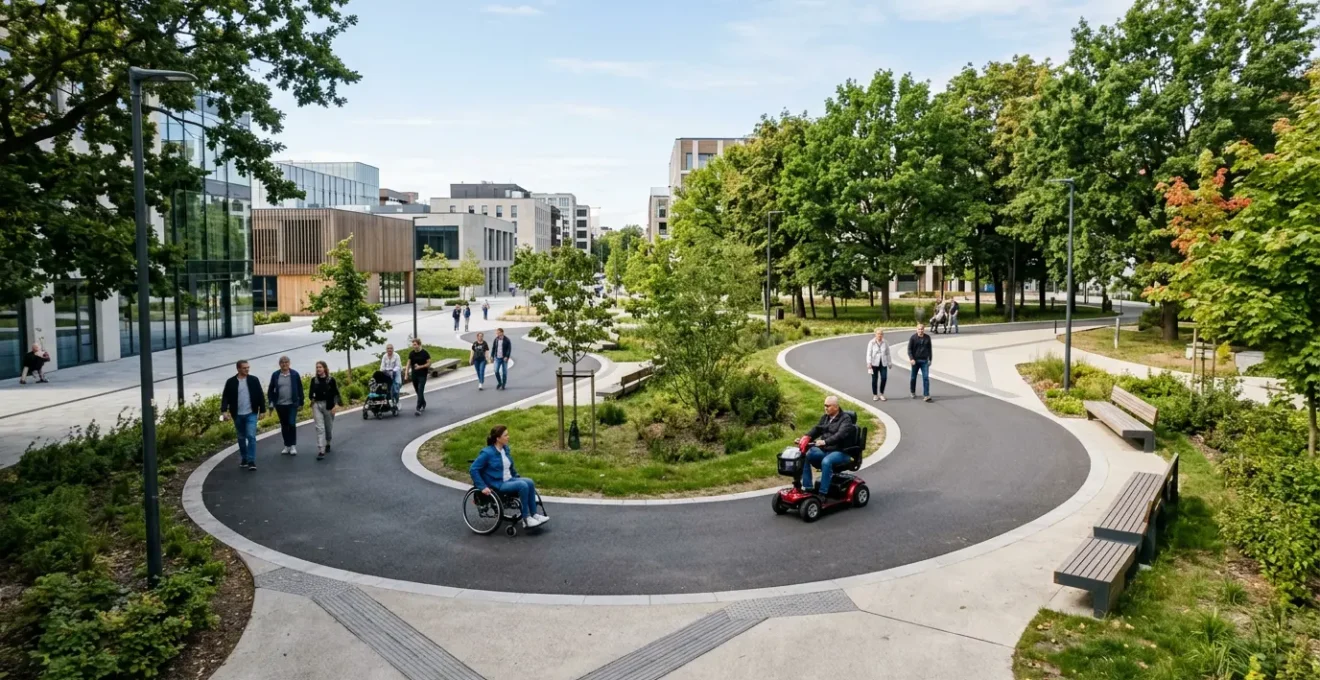
The confidence to explore new places comes not from blindly trusting an app’s ‘accessible’ route, but from adopting a strategist’s mindset to actively de-risk your journey before you leave.
- Standard mapping tools are a starting point, not the definitive truth; their data on gradients, kerbs, and surfaces is often incomplete.
- A multi-layered approach combining satellite imagery, virtual street-level reconnaissance, and user-generated reports is essential to uncover hidden barriers.
- Calculating your scooter’s ‘real’ operating range by applying penalties for terrain, weight, and weather is the only way to plan long trips successfully.
Recommendation: Treat every route plan as an intelligence-gathering mission. Verify every turn, question every surface, and plan for contingencies to transform travel anxiety into confident exploration.
The fear is palpable. You’re planning a trip to a new town, and the primary emotion isn’t excitement, but a low-grade dread. The dread of a promised ‘accessible’ route leading to an impassable flight of stairs, a kerb without a drop, or a picturesque cobblestone street that becomes a bone-jarring, battery-draining nightmare. This anxiety is a known barrier; research has shown that over 90% of disabled people lack confidence when visiting new places, precisely because of this gap between the map and the reality on the ground.
The common advice is to simply switch on « wheelchair mode » in a mapping app or « call ahead. » While these are starting points, they often fall short. A GIS (Geographic Information System) specialist or accessibility consultant would never rely on a single, unverified data source. They understand that a map is a model of reality, not reality itself. The digital world is full of information—satellite views, street-level imagery, community-sourced data—that can be used to build a far more accurate picture of a journey.
But what if the key wasn’t just finding more data, but learning how to interpret it like a professional? This guide departs from simple checklists. It will equip you with a strategist’s methodology for planning accessible routes. We will not just tell you *what* tools to use, but *how* to use them to conduct virtual reconnaissance, analyse surface-level truth, and calculate risk. It’s time to move beyond the limitations of a single app feature and adopt a multi-layered system that builds genuine, earned confidence in every journey you plan.
This article provides a structured approach, moving from the critical analysis of standard digital tools to advanced techniques for assessing terrain, planning for essential needs, and dealing with the unexpected. By exploring these layers, you can build a robust planning process that minimises surprises and maximises independence.
Summary: Beyond the Map: A Strategist’s Guide to Planning Truly Accessible Routes
- Wheelchair Mode: Is It Reliable for Scooters or Just a Gimmick?
- Virtual Walkthrough: Using Street View to Check Kerb Drops Before You Go
- Cobbles and Gravel: How to Spot ‘Inaccessible’ Accessible Routes?
- Radar Keys and Maps: Planning Pit Stops for Essential Needs
- Roadworks: Dealing with Sudden Pavement Closures When You Can’t Step Off
- Grass and Tree Roots: When High Clearance Becomes Essential in the Park?
- Apps and Maps: Finding Public Charging Spots for Scooters in the UK
- How to Plan Long Trips Within Your Scooter’s Real Operating Range?
Wheelchair Mode: Is It Reliable for Scooters or Just a Gimmick?
The « Wheelchair accessible » filter on major mapping platforms represents a significant step forward, but treating it as infallible is a strategic error. These algorithms are primarily designed to avoid stairs and, to a lesser extent, identify step-free entrances. For a mobility scooter user, however, the challenges are far more nuanced. The algorithm rarely accounts for steep gradients, pavement width, adverse camber, or, most critically, the quality of the surface. A route marked ‘accessible’ can easily lead you down a path with severe cobblestones that are technically step-free but practically impassable.
Think of the app’s ‘accessible’ toggle not as a guarantee, but as a first-pass filter. It’s a tool to eliminate the most obvious non-starters, but the data it uses is often incomplete or crowdsourced with varying degrees of accuracy. The feature’s reliability is a starting hypothesis that requires rigorous testing. A scooter has different dimensional and performance characteristics than a manual wheelchair; it’s heavier, has a larger turning circle, and is more susceptible to battery drain from rough surfaces. Therefore, a route that works for one may not work for the other.
The correct approach is to use this feature as Layer 1 of your intelligence gathering. Once the app generates a route, your real work begins: the process of data cross-verification. This involves using other tools and data sources to confirm or deny the suitability of each segment of the proposed route. Never delegate your safety and autonomy to a single algorithm. Use it, but verify its output with the critical eye of a GIS analyst who knows that all data has limitations.
Virtual Walkthrough: Using Street View to Check Kerb Drops Before You Go
Once your mapping app provides a basic route, the next strategic layer is virtual reconnaissance. This is where you move from an abstract line on a map to a visual inspection of the ground-level reality. Google Street View and similar platforms are your primary tools for this mission. Your objective is not to casually ‘look around’, but to systematically audit the route for specific accessibility choke-points that algorithms miss, chief among them being the quality of kerb drops.
As you virtually travel your route, your focus should be forensic. For every road crossing, pause and examine the kerb. Is there a dropped kerb on both sides of the road? What is its condition? Look for a smooth transition, not a jarring 1-inch lip that could stop your scooter. Check for tactile paving; its presence often indicates a purpose-built crossing. Assess the width of the pavement. Is it wide enough for your scooter, or will you be forced into the road by overgrown hedges or street furniture? This level of granular detail is where you uncover the flaws in an algorithmically generated « accessible » path.
This technique of virtual inspection is so powerful it forms the basis of major accessibility mapping projects.
Case Study: Project Sidewalk
Project Sidewalk, developed by the University of Maryland and University of Washington, enables volunteer users to virtually walk through cities in Google Street View to label and assess sidewalk accessibility. Since its beta launch in Washington DC in Fall 2016, over 3,000 users have contributed 180,000 accessibility labels across 1,075 miles of DC streets. This demonstrates how structured virtual inspection can build comprehensive accessibility databases without requiring physical site visits, proving the concept’s power and scalability.
Before your journey, scrutinise the details. This image shows what to look for: the smooth gradient and textured surface of a well-designed kerb drop, a critical feature for safe passage.
By conducting this virtual walkthrough, you are actively identifying and mitigating risks before you even step out the door. You are moving from being a passive user of technology to an active intelligence analyst, building a mental model of the terrain that is far more reliable than any single app.
Cobbles and Gravel: How to Spot ‘Inaccessible’ Accessible Routes?
One of the most significant failings of automated route planners is their inability to adequately factor in surface topology. A route that is perfectly flat and free of steps can still be rendered impassable by a patch of historic cobblestones or a trendy but treacherous loose gravel path. This is the concept of ‘surface-level truth’—the critical gap between what a map shows as a viable path and what your scooter’s wheels experience on the ground. Spotting these surfaces during your virtual reconnaissance is a vital skill.
In Street View, look for tell-tale visual cues. Cobblestones have a distinctive, irregular pattern and create harsh shadows that are visible even in low-quality imagery. Gravel paths often have soft, undefined edges and a different colour and texture from surrounding tarmac. Satellite view can also be your ally here; switch to it to inspect large areas like park entrances or town squares. A path that looks smooth on a map might reveal a tell-tale mottled texture from above, indicating a non-asphalt surface.
Different surfaces don’t just affect comfort; they have a dramatic and measurable impact on your scooter’s performance, particularly battery consumption and component wear. A seemingly short detour over a rough surface can significantly reduce your overall range, turning a well-planned trip into a stressful race against a dying battery. Understanding this impact is key to making informed routing decisions.
This table illustrates how different surfaces, often invisible on standard maps, can drastically affect your journey’s feasibility. The difference between a ‘good’ and ‘poor’ surface can be the difference between a pleasant outing and getting stranded, as this comparative analysis demonstrates.
| Surface Type | Accessibility Rating | Battery Impact | Rider Comfort | Component Wear |
|---|---|---|---|---|
| Smooth Asphalt | Excellent | Minimal drain | Very comfortable | Low wear |
| Modern Paving Blocks | Good | Low drain | Comfortable | Low-moderate wear |
| Old Cobblestones | Poor | High drain (+15-20%) | Very uncomfortable | High vibration wear |
| Packed Gravel | Fair | Moderate drain (+10%) | Uncomfortable | Moderate wear |
| Loose Gravel | Very Poor | Very high drain (+25%) | Unstable/unsafe | Very high wear |
| Grass (Dry) | Poor | High drain (+15%) | Bumpy | Risk of getting stuck |
Case Study: Mobility Mapper Initiative
To combat this data gap, community-driven platforms like Mobility Mapper have emerged. This app is specifically designed for users of wheeled mobility devices and allows them to generate routes based on specific needs, including maximum incline and, crucially, surface preferences. It empowers users to contribute detailed surface information, effectively ‘fixing’ the data gaps left by mainstream mapping services and building a shared resource of ground-truth knowledge.
Radar Keys and Maps: Planning Pit Stops for Essential Needs
A truly accessible route is more than just a continuous path from A to B; it’s a network of possibilities that includes safe, accessible « pit stops » for essential needs. Strategic route planning must therefore incorporate the locations of accessible toilets, rest areas, and potential charging opportunities. In the UK, the most critical tool for this is the RADAR Key and a corresponding map of facilities in the National Key Scheme (NKS).
The RADAR key provides access to over 10,000 locked accessible toilets across the UK, found in shopping centres, public parks, train stations, and cafes. However, simply knowing a location exists is not enough. Your planning process must include a layer of verification. Use online maps of RADAR locations (like the one from Maptools or on the official RADAR app) to identify potential stops along your route. But don’t stop there. Cross-reference this with your virtual reconnaissance. Does the venue’s entrance look genuinely step-free on Street View? Is the toilet located on the ground floor?
This is where the platitude « call ahead » can be transformed into a strategic intelligence-gathering tool. When you call a venue, don’t just ask « Are you accessible? » This question is too broad and often gets an uninformatively optimistic « yes. » Instead, you need to conduct a quick, precise audit with a checklist of non-negotiable questions. This targeted questioning gives you specific, actionable information rather than vague assurances.
The goal is to identify genuine havens—calm, truly accessible spaces that offer more than just a toilet, but a chance to rest and recharge in a low-stress environment, far from the chaos of the main thoroughfare. These pit stops are as crucial to the success of your journey as the path itself.
Your Verification Checklist: Key Questions to Ask Venues by Phone
- Is there step-free access to enter the building from street level or the car park?
- What is the door width of the accessible toilet, and how much clear maneuvering space is inside?
- Is the accessible toilet used for storage, or is it kept clear and available at all times?
- Do you have RADAR key access, or is the toilet unlocked during opening hours?
- Is there space to maneuver around tables or furniture inside your main venue area?
Roadworks: Dealing with Sudden Pavement Closures When You Can’t Step Off
Even the most meticulously planned route can be instantly derailed by the unexpected: a sudden pavement closure due to roadworks, a utility van blocking the entire path, or an unannounced event. In these moments, your inability to simply « step off the kerb » and navigate around the obstacle turns a minor inconvenience into a major barrier, potentially trapping you. A comprehensive route plan must include a protocol for this eventuality.
When confronted with a complete blockage, the first step is to stop and assess. Do not panic. Look for an immediate, safe alternative. Is there a nearby dropped kerb that allows you to cross the street and find a clear path on the other side? Can you safely reverse and backtrack to a previous junction to find an alternate route? Your virtual reconnaissance should have given you a mental map of the area, which is invaluable here. If there is absolutely no accessible way forward or back, it is not your responsibility to put yourself in danger by attempting to navigate the road alongside traffic.
UK regulations provide some clarity on this. The Highway Code for mobility scooters is explicit about when you can and cannot use the road. Understanding these rules is crucial for knowing your rights and responsibilities.
A Class 2 mobility scooter can only dismount from the pavement when crossing a road, or if there is no pavement or footpaths available, such as on country lanes. You may also use the public highway if the pavement is blocked preventing access to you.
– UK Highway Code for Mobility Scooters, Quingo Scooters – UK Highway Code Guidance
If you are truly stuck, your phone becomes your most important tool. You need to escalate the issue to the authorities who are responsible for maintaining public access. This is not an emergency for 999, but a civil matter for which there are specific channels. Having a pre-prepared protocol for who to call and what to say removes the stress of decision-making in the moment.
Your Emergency Blockage Protocol
- Stop safely and assess if any alternative accessible route or turning space is available.
- If not, contact the local council’s highways department to report the inaccessible diversion.
- If you are in an unsafe position or completely trapped, call the police non-emergency line (101 in the UK) to request assistance.
- Provide specific location details: street name, nearest landmark, and the nature of the obstruction.
- If possible, document the obstruction with photos for future reporting to the council to improve their accessibility planning.
Grass and Tree Roots: When High Clearance Becomes Essential in the Park?
Navigating through parks and green spaces introduces a new set of terrain challenges that go beyond paved surfaces. While a route through a park may appear step-free on a map, the reality on the ground can be a landscape of subtle but significant obstacles: undulating grass, compacted earth, and, most notably, the hidden humps of tree roots. In these environments, your scooter’s ground clearance becomes the single most critical specification.
Ground clearance is the measurement from the ground to the lowest point of your scooter’s chassis, typically the motor or transaxle housing. This small number has huge implications. A scooter with low ground clearance might be perfectly adequate for smooth city pavements, but can easily get ‘beached’ on the crown of a grassy path or a raised tree root. According to industry specifications, mobility scooter ground clearance can range from as little as 2 inches for compact models to over 7 inches for specialised all-terrain units. Assessing a park route, therefore, requires you to match the expected terrain to your scooter’s capabilities.
Your virtual reconnaissance skills are still relevant here. Use satellite imagery to identify worn « desire lines » across grassy areas—these are often more compacted and smoother than the surrounding turf. However, satellite views won’t show the subtle but powerful lift of tree roots. This is where you must rely on a hardware audit of your own machine. Is your scooter genuinely suitable for off-pavement use? It’s not just about clearance; it’s a system of features working together.
This ground-level view of a typical park path reveals the hidden challenges. The seemingly smooth grass hides subtle undulations and the tell-tale humps of tree roots just below the surface, creating a minefield for low-clearance scooters. True all-terrain suitability goes beyond a single spec and involves a holistic assessment of your machine’s design.
Checklist: Is Your Scooter Park-Ready?
- Ground Clearance: Measure at the lowest point (motor/transaxle). For parks, 4+ inches is recommended.
- Tire Type: Pneumatic (air-filled) tires are essential for shock absorption on uneven ground. Solid tires will give a punishing ride.
- Suspension: A good multi-point suspension system is non-negotiable for comfort and stability on grass and dirt paths.
- Motor Power: A higher torque motor will handle the increased resistance of soft ground and inclines without stalling.
- Wheel Diameter: Larger wheels (10+ inches) roll over obstacles like small roots and bumps more easily than smaller wheels.
Apps and Maps: Finding Public Charging Spots for Scooters in the UK
For any journey that pushes the limits of a single charge, planning for ‘refuelling’ is as important as planning the route itself. Unlike electric cars with their dedicated, high-speed charging networks, mobility scooter charging relies on finding a standard AC wall socket and having several hours to spare. This makes the hunt for public charging spots a more subtle and socially-driven exercise. There is no single, definitive map; success relies on a combination of local knowledge, strategic venue selection, and polite negotiation.
Your search should focus on venues that welcome people to stay for extended periods. Large supermarket cafes, pub chains, and community libraries are often excellent candidates. They tend to have spacious layouts, accessible toilets, and, crucially, a multitude of wall sockets intended for customers using laptops. The strategy is to become a patron. Buying a coffee or a meal turns your request for electricity from a simple ask into a reasonable part of a commercial transaction.
However, approaching staff requires a degree of social engineering. A polite, prepared script can make all the difference. It should pre-emptively address their likely concerns: safety (trip hazards from cables), cost (reassuring them it’s minimal), and convenience (suggesting an out-of-the-way spot). Being prepared shows you are a considerate and responsible scooter user, not someone making a difficult demand.
Case Study: UK Coffee Chains and Pubs as Charging Hubs
User-generated reports from the mobility community consistently highlight certain UK chains as reliable charging spots. Costa Coffee, Caffè Nero, and large Tesco cafes often feature accessible seating with nearby power sockets. Wetherspoon pubs are particularly well-regarded for their spacious layouts and numerous, readily available sockets in dining areas. The key is that scooter chargers use standard AC wall sockets, not the dedicated DC fast-charging points for electric vehicles, making these everyday venues ideal ‘opportunity charging’ locations.
The Polite Script for Requesting a Charge
- The Opening: « Hello, I use this mobility scooter and my battery is running low. I was hoping to have a coffee here; would it be possible to plug it in while I do? »
- The Reassurance: « I have my own charger and I’m very careful about keeping the cable tidy so it’s not a hazard. »
- The Location Suggestion: « Is there a quiet corner or a wall socket that’s out of the way where I wouldn’t be a bother? »
- The Follow-Up: « Thank you so much, I really appreciate it. This makes a huge difference to my ability to get around independently. »
Key Takeaways
- Never trust a single data source; always cross-verify an app’s ‘accessible’ route using satellite and street-level virtual reconnaissance.
- Analyse surface type as a critical factor. Cobblestones, gravel, and grass can render a step-free route impassable and severely drain your battery.
- A successful long journey depends on a hardware audit (ground clearance, tires, suspension) and a realistic calculation of your scooter’s ‘real’ operating range, accounting for terrain and load penalties.
How to Plan Long Trips Within Your Scooter’s Real Operating Range?
The single biggest cause of failed long-distance journeys is a misunderstanding of a scooter’s « real » operating range. The mileage quoted by the manufacturer is an ideal-case scenario—a lightweight rider on a perfectly smooth, flat surface in temperate weather. Your real-world range will always be significantly less. Effective long-trip planning, therefore, requires you to become a pragmatic accountant, calculating your own realistic range by applying a series of ‘penalties’ for every factor that increases battery consumption.
Every hill, every patch of rough ground, every bit of extra weight, and every drop in temperature extracts a toll from your battery. These are not abstract concepts; they have a quantifiable impact. For example, practical testing has demonstrated that battery consumption increases by around 10% on moderate inclines and up to 20-25% on very rough surfaces like loose gravel. Ignoring these penalties is a recipe for being stranded miles from home. A strategic planner doesn’t hope for the best; they plan for the worst-case scenario.
This means translating the insights from your route analysis into a simple budget. Before you set off, you need to audit your proposed path and apply a ‘range penalty’ for each challenge. This moves you from a vague sense of « this looks like a long trip » to a data-driven conclusion: « My scooter’s 15-mile ideal range is reduced to a 9.5-mile real range for this specific journey, so I must plan a charging stop at the 8-mile mark. » This systematic deduction is the cornerstone of confident long-distance travel.
By formalising this process, you replace range anxiety with range awareness. It’s a fundamental shift in mindset from being a passenger reliant on manufacturer specs to being the pilot-in-command, fully aware of your machine’s capabilities and the environment’s demands.
Your Range Penalty Scorecard for Realistic Journey Planning
- Establish Base Range: Start with your scooter’s manufacturer-stated range, then immediately reduce it by 20% to get a realistic ‘best case’ figure.
- Apply Hill Penalty: For each significant hill or long, sustained incline on your route, subtract an additional 10% of remaining range.
- Apply Surface Penalty: Subtract 5% for rough pavement, 10% for cobblestones, and 15% for grass or gravel sections.
- Apply Weather Penalty: If the temperature is below 10°C (50°F), subtract 5%. If facing a strong headwind, subtract another 3%.
- Calculate Final Range: Add up all your penalties and subtract them from your base range to get your true, reliable operating range for that specific journey.
Start applying this strategic, multi-layered approach to your next journey plan. Shift from being a passive map-follower to an active route analyst, and transform your travel anxiety into the earned confidence of a seasoned explorer.